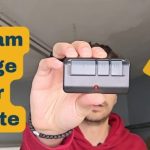
Few things are more annoying than standing in your driveway, rushing to get inside or grab groceries, and hitting your garage door remote… only for absolutely nothing to happen.
You press the button again. Still nothing. You’re left wondering if the remote broke out of nowhere, if the door’s dead, or if you’re stuck manually lifting a heavy garage door in the heat or cold.
The good news? Most garage door remote issues aren’t big, expensive problems. You don’t need to call a technician right away, and you almost never need a brand-new opener system. Nine times out of ten, the fix is super simple and takes less than five minutes.
I’ve dealt with every remote glitch imaginable over the years, from lazy batteries to signal interference and lost programming. Below are my go-to top 10 fixes that actually work for our home garage door setups. I’ve ordered them from the easiest, no-tool fixes to the slightly more detailed ones, so you can troubleshoot fast without wasting time.
1. Swap Out the Batteries (Most Common Fix)
Let’s start with the obvious because it’s the culprit for 70% of dead remote issues. Weak or dying batteries don’t always die completely—they’ll often work inconsistently, only function up close, or stop working overnight with no warning.
Don’t just assume your batteries are fine because they worked last week. Temperature swings in our area drain remote batteries fast, especially during freezing winters or scorching summers.
Pop open the remote casing, toss in brand-new, fresh batteries, and pay close attention to the positive and negative symbols. Even new batteries won’t work if they’re flipped backward. Test the remote right away—this single step fixes most unresponsive remotes instantly.
2. Clean Dirty or Corroded Battery Contacts
If new batteries still don’t work, don’t ditch the remote yet. The tiny metal contact points inside the battery compartment get gunked up with dust, grime, or white corrosion buildup over time. This stops power from flowing properly, even with brand-new batteries.
This is such an overlooked issue. Grab a cotton swab and a little rubbing alcohol, or even a clean dry cloth, and wipe down all the metal contacts. If you see light rust or tough corrosion, a tiny bit of fine sandpaper gently rubbed over the metal works perfectly.
Once everything’s clean and dry, reinsert your batteries and test it out. You’ll be shocked how often this brings a dead remote back to life.
3. Reprogram Your Remote (Lost Code Sync)
Garage door remotes lose their programming way more often than people realize. Power surges, brief outages, or even accidentally holding the wrong button can wipe the saved connection between your remote and opener.
The fix is straightforward, though the exact tiny step varies slightly by brand. Head to your garage door opener motor unit, look for a colored “learn” button (usually red, purple, or yellow), press and release it quickly, then hit and hold your remote’s main button for a few seconds until the opener light flashes or clicks.
That flash means it’s paired again. I always recommend reprogramming before buying a new remote—it saves so much unnecessary money.
4. Fix Blocked or Damaged Antenna
Every garage door opener has a small wire antenna hanging down from the motor head, and it’s way more important than most people think. This tiny wire picks up your remote’s signal, and if it’s bent, taped up, cut, or tucked behind the motor unit, your remote will barely work (or not work at all).
Walk over to your opener and check the antenna. Make sure it’s hanging freely, straight down, and not tangled or damaged. If it’s taped against the metal casing, pull it loose and let it hang naturally. This simple adjustment instantly boosts signal range and fixes remotes that only work right next to the garage.
5. Eliminate Neighbor & Device Signal Interference
Here’s a weird but super common issue: signal interference. Lots of nearby electronics and even neighbor garage door openers run on similar frequencies, which can clash and block your remote’s signal entirely.
Common culprits include outdoor security cameras, Wi-Fi routers, smart home devices, LED garage lights, and nearby vehicle key fobs. If your remote works sometimes and fails other times, interference is almost always to blame.
Try turning off new electronics you’ve installed near your garage opener recently and test the remote again. If it starts working perfectly, you’ve found your issue. You can also try repositioning your router or security camera to clear up signal conflict long-term.
6. Clean Sticky or Worn Remote Buttons
After years of use, remote buttons get worn out, dusty, or sticky from hand oils, sunscreen, and dirt. You might press the button, but the internal switch never actually engages—so nothing happens.
If your remote’s LED light doesn’t flicker when you press the button, or you have to press hard multiple times to get a response, sticky buttons are likely the problem.
Wipe down the button surface with a damp cloth, and if you’re comfortable popping the remote open, clean the internal rubber pads with a little rubbing alcohol. Let everything dry fully before reassembling, and your buttons will feel brand new again.
7. Check for Opener Power Issues
Sometimes it’s not the remote at all—it’s your garage door opener losing power or glitching out. It’s easy to overlook this because the opener lights might still be dimly on, but the main circuit could be unpowered.
First, confirm the opener is fully plugged into a working outlet. Next, check your garage’s circuit breaker to make sure it hasn’t tripped. A tripped breaker will kill power to the opener’s receiver, making every remote press useless.
If everything looks good, try unplugging the opener for 30 seconds, then plugging it back in. This quick power reset fixes minor system glitches that block remote signals constantly.
8. Replace a Water-Damaged Remote
Our garages get humid, damp, and even drafty year-round, and remote casings aren’t fully waterproof. Even a tiny bit of moisture from rain, dew, or high humidity can fry internal circuit boards slowly over time.
If you’ve left your remote in the car during rain, dropped it on a wet driveway, or noticed condensation inside the casing, water damage is almost certainly the issue.
Sadly, water-damaged remotes rarely last long. Cleaning them might get you a few more uses, but it’s almost always better and cheaper to grab a replacement remote instead of troubleshooting a fried circuit board.
9. Reset Lock/Vacation Mode on the Opener
This one trips up so many homeowners! Nearly every modern garage door opener has a vacation or lock mode designed to disable remotes while you’re away from home for security.
The problem? It’s way too easy to toggle this mode on by accident while cleaning the garage or bumping the wall control panel. When lock mode is active, your wall button might still work, but every remote will be completely unresponsive.
Check your wall control panel for a lock icon or “vacation” light. If it’s lit up, hold the lock button down for 3 to 5 seconds until the light turns off. Your remotes will start working immediately after.
10. Replace an Aging Remote or Receiver
If you’ve tried every fix above and nothing sticks, your remote or opener receiver is likely just old and worn out. Garage door remotes last years, but they don’t last forever. Internal components wear down, and older openers start struggling with newer frequency signals over time.
Before you buy a whole new opener system, just replace the remote first. They’re affordable, super easy to pair, and solve almost all persistent no-signal issues.
If multiple remotes stop working at the exact same time, the opener’s receiver board is probably faulty. You can replace just the receiver instead of the entire unit to save major cash.
Final Thoughts
A non-working garage door remote is never fun, but it’s almost always a quick, DIY fix. There’s no need to stress or shell out for expensive service calls for basic issues like dead batteries, messy contacts, accidental lock mode, or lost programming.
Work through these fixes from top to bottom, and you’ll almost certainly get your remote working again in minutes. For most households, simple maintenance like cleaning contacts and swapping fresh batteries once or twice a year is enough to avoid future remote headaches entirely.