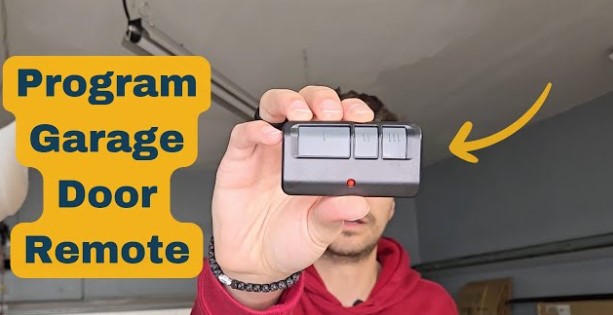

Programming a garage door remote sounds way more intimidating than it actually is. A lot of homeowners assume it’s a job for a pro, or that you need special tools and technical know-how to get it done.
I get it — the opener motor has random buttons, the instructions in the manual are confusing, and the last thing you want is to mess up your whole garage door system by pressing the wrong thing.
But here’s the truth: programming a new or replacement garage door remote is a 2-minute DIY job. No fancy equipment, no experience required, and zero confusing setup. I’ve walked dozens of first-timers through this exact process, and it works for nearly every major opener brand we have in residential homes.
Whether you’ve got a brand-new remote, you’re replacing a lost one, or you just need to reprogram a remote that stopped syncing out of the blue, this simple step-by-step guide will walk you through it perfectly. I’ll also cover common beginner mistakes to avoid so you don’t waste time troubleshooting later.
First: Prep Before You Start Programming
Before jumping into the steps, there are a couple quick checks every beginner should do first. These tiny prep steps eliminate 90% of failed programming attempts, so don’t skip them.
First, make sure your remote has brand-new, working batteries. Weak batteries are the #1 reason remotes won’t program correctly. Even if the remote lights up, low voltage can prevent it from locking in a secure connection with your opener.
Second, clear out any obstructions near your garage door opener. You’ll need full access to the motor unit mounted on the ceiling, specifically the control panel and learn button. Move any storage boxes, ladders, or clutter out of the way so you can see and reach everything clearly.
Lastly, grab a pen or just keep your phone handy — I’ll point out a few quick notes for different colored learn buttons, which is the only small variation you need to know for different openers.
Step 1: Locate the Learn Button on Your Opener
Every modern garage door opener has a dedicated learn button, and this is the core of the entire programming process. It’s usually on the back or side of your ceiling-mounted motor unit, right next to the wiring terminals and antenna wire.
It’s a small, square or round button that comes in three common colors: purple/red, yellow, or green. The color doesn’t change the overall process much, but it does tell you what frequency your opener uses, which helps if you run into issues later.
Pro tip for beginners: Don’t mix up the learn button with the regular wall control buttons. The learn button is only on the main motor unit, not the switch inside your garage.
Step 2: Activate the Opener’s Programming Mode
Now it’s time to put your opener into pairing mode. All you have to do is press and quickly release the learn button one time.
You’ll know it worked when a small LED light next to the button lights up solid. This light will stay on for roughly 30 seconds, which is your window to program the remote. If the light turns off before you finish, just press the learn button again to reset the timer.
Beginners often make the mistake of holding the learn button down too long. Holding it for 10+ seconds will wipe all existing remote codes from your opener, which means all your old remotes will stop working. Just a quick press and release is all you need.
Step 3: Program Your Remote Button
With the opener’s learn light active, head to your handheld remote. Press and hold the main button you want to use to open and close your garage door.
Keep holding it steadily. After 2 to 5 seconds, you’ll see one of two things happen: either the opener’s LED light will flash rapidly, or you’ll hear a distinct click sound from the motor unit.
That flash or click is your confirmation that the remote code has been successfully saved. Once you see that signal, you can let go of the remote button.
If you have a multi-button remote for multiple garage doors, repeat this process for each door — just use a different button on the remote for each opener’s learn mode.
Step 4: Test Your Newly Programmed Remote
Don’t skip the test step! This is how you confirm everything locked in correctly. Wait 10 seconds for the opener to exit programming mode, then stand a few feet away and press your remote button.
Your garage door should open or close smoothly with no lag, no double presses needed, and no inconsistent response.
If it works perfectly, you’re all done. If it’s unresponsive or spotty, don’t worry — I’ve covered the most common fixes for failed programming down below.
Step 5 (Optional): Program Multiple Remotes
If you have spare remotes for family members or backup units, you can program all of them in one quick session. Just repeat steps 2 and 3 for each additional remote before the opener’s learn mode times out.
Most openers can store dozens of remote codes, so you won’t run into space issues for regular household use.
Common Beginner Programming Mistakes (And How to Fix Them)
Remote won’t pair at all
99% of the time, this is dead or weak batteries. Swap in brand-new ones and try again. Old batteries don’t send a strong enough signal to register with the opener during programming mode.
All old remotes stopped working after programming
You held the learn button too long and cleared the memory. No big deal — just reprogram each of your old remotes one by one using the same steps above.
Remote only works up close
Check the opener’s antenna wire. Make sure it’s hanging freely and not taped up, bent, or hidden behind the motor casing. A blocked antenna kills signal range instantly.
Programming mode times out too fast
If you’re rushing and missing the window, just press the learn button again to restart the 30-second timer. Take your time — this process is meant to be simple and stress-free.
How to Reset & Reprogram After a Power Surge or Outage
It’s super common for remotes to lose their programming after a storm, power surge, or brief power outage around our neighborhoods. If your remote worked fine for years and suddenly quit, you don’t need a new one — just reprogram it.
Follow the exact same step-by-step process above. Power glitches often wipe temporary saved codes, and a quick re-pair will fix the issue in minutes.
Final Thoughts
Programming a garage door remote is one of the easiest home DIY tasks out there, even if you’ve never touched your opener’s settings before. There’s no need to pay a technician for a 2-minute job, and you definitely don’t need to replace a perfectly good remote just because it lost its sync.
Stick to these simple steps, avoid the common beginner mistakes, and you’ll have your remote working like new in no time. Once you get the hang of it, you’ll be able to reprogram or add new remotes anytime without second-guessing yourself.