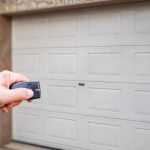
Getting a new garage door remote working shouldn’t feel like rocket science. Whether you just bought a replacement or need an extra one for a family member, the setup takes less than two minutes. You don’t need any special tools—just a steady ladder and your new remote control.
Depending on your setup, you can complete this using the button on your wall control panel or directly on the overhead motor unit.
Method 1: Using Your Wall-Mounted Door Control
If your garage wall console has a dedicated setup button, this is the quickest method because you don’t need to climb up to the ceiling motor.
- For standard consoles with a Learn button: Press and release the “Learn” button on the wall control twice in a row.
- For Smart Control Panels (with an LCD screen): Press the MENU button, scroll down using the arrows to highlight PROGRAM, and select REMOTE.
- For doorbell-style panels: Next, hold down the side lighting button and lightly touch the front main button until the indicator light flashes once and remains on.
- Link the remote: Press and hold the specific button on your new remote that you want to use for opening the garage.
- Listen for the click: Keep holding that button until the overhead garage door opener lights flash or you hear two distinct clicking sounds. Release the button immediately. Your remote is now programmed.
Method 2: Using the Overhead Opener Motor Unit
If your wall control doesn’t have a programming option, you’ll need to use the physical “Learn” button located directly on the overhead garage door opener.
- Grab your ladder: Set up your ladder safely so you can reach the main motor unit hanging from the ceiling.
- Locate the Learn button: Look at the back or side of the motor unit, usually right near where the antenna wire hangs down. You might have to open or slide down the plastic lampshade to see it.
- Press and release: Press the colored “Learn” button once and let go. The small LED next to it will turn on and stay solid.
- Crucial Note: Never hold down this button for more than one second, as holding it down for 6 seconds or longer will completely erase all existing remote control information from the garage memory.
- The 30-second window: Once that LED light is lit, you have exactly 30 seconds to complete the next step.
- Sync the remote: Press and hold the button on your handheld remote control.
- Watch for the confirmation: Then you press and hold the remote control button until the ceiling light flashes or the device makes a “clicking” sound. Once you see or hear that, let go of the button.
Testing the Setup
Step back a few feet to a safe distance away from the garage door’s path. You may need to open or slide down the plastic lampshade to see it.
Press the new remote control button you just programmed, observe and ensure that the door can rise and fall smoothly. If it doesn’t respond, simply wait a minute and repeat the steps, making sure you press the remote button firmly during the 30-second learning window.