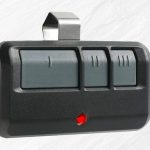
If you’ve been staring at your garage door motor and clicking your new 877MQX keypad with no luck, don’t worry. These things are actually pretty simple to pair once you know which “Learn” button color you’re dealing with.
The 877MQX is designed to work with Security+ systems. Here’s the step-by-step I usually use to get these synced up in under two minutes.
Before you start:
Grab a sturdy ladder.
Make sure you have your 4-digit PIN picked out.
Check your motor head (the unit hanging from the ceiling) to see what color the Learn button is. This model typically works best with Green, Orange, or Red buttons.
The Step-by-Step
1. Get to the Learn Button
Pop off the light cover on your garage door opener motor. You’ll see a square button—usually labeled ‘Learn.’ Give it one firm press and let go. The indicator light next to it will glow steadily for about 30 seconds. That’s your window to program.
2. Hit the Keypad
You’ve got 30 seconds, so don’t rush, but don’t hang out. On your 877MQX keypad:
Enter your 4-digit PIN.
Press and hold the ENTER button.
3. Watch the Lights
Keep holding that ENTER button until you see the light bulb on the motor unit blink. If you don’t have a light bulb installed, you’ll hear two clicks from the motor. That’s the “handshake” telling you it worked.
4. Test it out
Release the button. Wait a few seconds for the programming mode to timeout, then type in your PIN and hit Enter. The door should move.
Still not working?
If the light didn’t flash, check a few things:
The Battery: These usually ship with a 9V battery, but sometimes they’re weak from sitting in a warehouse. Swap it out if the keypad backlight looks dim.
Antenna: Make sure the little wire hanging from your motor unit isn’t tucked up inside the housing. It needs to be hanging down to get a good signal.
Frequency: If your motor has a Purple or Yellow learn button, the 877MQX might not be the right match—you’d likely need the 877MAX or 377LM instead.
Pro Tip: If you’re tired of manually looking up codes for different brands, I usually keep a list of the most common garage frequencies saved on my phone to save time on the job.